Dumb Enemies and Smart Enemies
A game needs opposition. In this lab you'll spawn a squad of red enemy tanks — first ones that patrol mindlessly back and forth, then ones that turn and come after you. The difference between "dumb" and "smart" turns out to be about eight lines of code, which should worry you a little.
Overview
In this lab you'll create several enemies with a loop instead of typing each
one, then break your update() code into helper functions —
move_player(), move_enemies(), and move_enemies_smart() — so a growing
game stays organized. The smart-enemy logic is yours to write.
Builds on: Rotation, Tiles, and Solid Walls — the angle attribute and keyboard driving.
Before you start
Open Thonny and start a new program named enemies.py. Save it in your
pygame-zero folder, next to your images folder.
You've got it when…
- Three red enemy tanks appear at random positions, facing random directions.
- Your
update()function is just a short list of helper-function calls. - Enemies patrol and turn around at the screen edges.
- With
move_enemies_smart()in charge, the enemies chase the player.
Collaboration & AI
Work: On your own. Ask a neighbor for a hand if you're stuck, but the program you submit should be yours.
AI — AIAS Level 1, No AI: The smart-enemy section is the assessment — it has to come from you. What the levels mean.
New Images
If you completed Getting Set Up for Pygame Zero,
both tanks are already in your images folder.


Setting the Scene
-
Let's make a simple game.
- Start a new Python file with the bookends.
- Make the screen 800 pixels wide and 600 pixels tall.
- Create an Actor for a tank. We'll call this one
player, and it will use the image tank_blue.png. We'll start with the player in the center of the screen. - Fill the screen with a color and draw the tank on every frame.
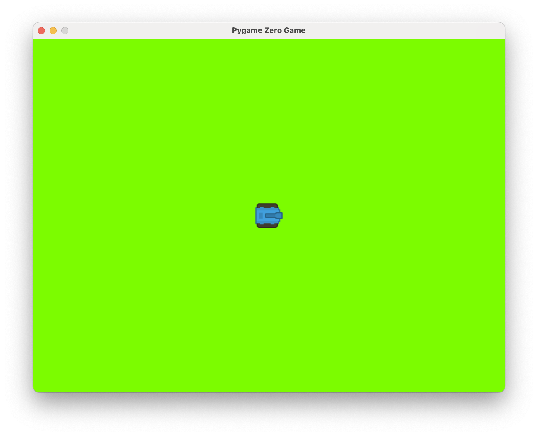
enemies.pyimport pgzrun WIDTH = 800 HEIGHT = 600 player = Actor("tank_blue") player.x = WIDTH / 2 player.y = HEIGHT / 2 def draw(): screen.fill("lawngreen") player.draw() pgzrun.go()Try your program. Your screen should look like this.
Adding Enemies
-
Now make an empty list to hold enemies. Add the highlighted line.
-
Let's create some enemies and add them to the list. We'll start each enemy at a random location on the screen and facing in a random direction, so we'll need to import the
randomlibrary. Add the highlighted lines.import pgzrun import random WIDTH = 800 HEIGHT = 600 player = Actor("tank_blue") player.x = WIDTH / 2 player.y = HEIGHT / 2 enemies = [] e1 = Actor("tank_red") e1.x = random.randint(0, WIDTH) e1.y = random.randint(0, HEIGHT) e1.angle = random.randint(0, 3) * 90 enemies.append(e1) e2 = Actor("tank_red") e2.x = random.randint(0, WIDTH) e2.y = random.randint(0, HEIGHT) e2.angle = random.randint(0, 3) * 90 enemies.append(e2) e3 = Actor("tank_red") e3.x = random.randint(0, WIDTH) e3.y = random.randint(0, HEIGHT) e3.angle = random.randint(0, 3) * 90 enemies.append(e3)That was a lot of work for just three enemies! Notice how we're doing the same things for each enemy:
- Create the enemy Actor.
- Set it at a random x and y location.
- Add it to the list of enemies.
What if we wanted dozens of enemies? Typing each one in would become hard to manage.
We can do better and let the computer do the work for us. Let's use a loop with the
range()function to control how many enemies we create. -
Delete the fifteen lines that create
e1,e2, ande3— all three five-line blocks. -
Add the highlighted loop in their place. It does the same job for any number of enemies.
-
Finally, we'll add another loop in the
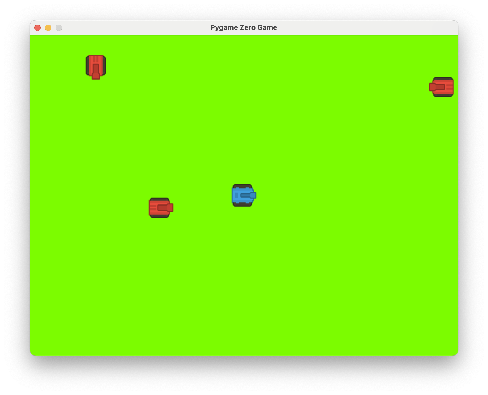
draw()function to draw each of the enemies in the list to the screen every frame. Add the highlighted lines.Try your program. Your screen should look like this, though the enemies will be in different, random locations every time you run the game.
-
Experiment with the number in the
range()function to add more or fewer enemies.
Keyboard Control with Cleaner Code
-
Add the
update()function to add keyboard control to the tank.
We do a lot of work in the update() function, and it can get cluttered.
Let's make a helper function to handle getting the keyboard keys and
moving the player.
This is not a special Pygame Zero function like update() or draw(), and
you can name it whatever you like. For this lab, we'll call it
move_player().
-
Create a new helper function,
move_player(), and move all the lines we just added to theupdate()function into it. -
Replace all the lines in the
update()function with a simple call to our newmove_player()function.Now our code is nice and tidy! Try your program. You should be able to move the blue tank with the keyboard.
Dumb Enemies
Let's give our enemies some simple movement. They won't respond to where we are. They will just patrol constantly, bouncing off the edges of the screen.
We'll create a new helper function named move_enemies(). Again, this name
could be anything you choose — the purpose is to organize the code.
-
The
move_enemies()function has been started for you below. Remove the highlighted comment and continue theif/elifstatements to move each enemy 1 step in the direction it is currently facing.def move_enemies(): for e in enemies: if e.angle == 0: # facing right e.x = e.x + 1 # elif ... your code here!Tip
Look at the code in your
move_player()function for help with the angles, and whether to add to or subtract fromxoryfor each. -
Call your
move_enemies()from theupdate()function so it will run during the update for each frame. Add the highlighted line.This works pretty well, but the enemy tanks drive off the screen.
-
Add the code below inside the loop in the
move_enemies()function, at the bottom of the loop, to turn them around if they hit the edge of the screen.How does this work?
The modulo (
%) operator works like division (/), but gives us the remainder. This way, we can always turn around by adding 180 degrees. If the result goes above 360 degrees, the modulo "wraps it around" to zero again.
Smart Enemies
Let's write some code to make the enemies smarter.
-
Set up your code to use a new helper function that will make the enemies move in a smarter way.
- Define a new helper function named
move_enemies_smart(). - Comment out the call to
move_enemies()in theupdate()function so it will no longer be called during updates. - Add a call to your
move_enemies_smart()function in theupdate()function.
The
update()function should now look like this: - Define a new helper function named
-
Add code to the new
move_enemies_smart()function to make the enemies follow the player. This is a challenge for you to solve. Here are the steps:- Loop over all the enemies in the
enemieslist. - If an enemy's x position is to the right of the player's x position, turn the enemy to the left.
- Else, if an enemy's x position is to the left of the player's x position, turn the enemy to the right.
- Else, if an enemy's y position is above the player's y position, turn the enemy upward.
- Else, if an enemy's y position is below the player's y position, turn the enemy downward.
After you have looped over all the enemies and turned them, call your
move_enemies()function from outside the loop — as the last line in yourmove_enemies_smart()function — to let it handle moving each enemy in its new direction and bouncing off the edges.Warning
The program won't run until you replace the comment with real code — Python doesn't allow a loop with nothing in it.
- Loop over all the enemies in the
Turn It In
- Submit your
enemies.pyfile in Google Classroom.
How It's Graded
This lab is worth up to 4 points. One score covers everything you turn in.
| Score | What it looks like |
|---|---|
| 4 — Excellent | Three enemies spawn from one loop at random spots and facings, update() reads as a short list of helper calls, patrols turn around at the edges, and your move_enemies_smart() — the part written from the steps, by you — turns every enemy toward the player and hands the walking back to move_enemies(). |
| 3 — Above Average | All the behavior works with a minor slip — one angle inverted so a chase drifts sideways, or an edge case where an enemy hesitates. |
| 2 — Average | Dumb enemies patrol and bounce, but the smart chase is missing or doesn't pursue — or the enemies were typed out one by one instead of built by the loop. |
| 1 — Below Average | Enemies appear on screen but never move. |
| 0 — Failing | Nothing submitted, or the program doesn't run. |