EarSketch: Custom Functions
Real songs have structure — an intro, verses, a chorus that comes back. Your script should too. In this lab you'll divide your song into sections with custom Python functions, and reuse a section by calling its function again instead of copying its code.
Overview
We will create custom Python functions for our songs: each function builds one section, and the main program assembles the sections into the song.
Before you start
Open your song script in EarSketch. This lab continues the song you've been building.
You've got it when…
- At least three custom functions divide your song into sections.
- At least two of the three accept at least one argument.
- Every function is called, and at least one is called at least twice.
Collaboration & AI
Work: On your own.
AI — AIAS Level 1, No AI: Structuring code with functions is the skill this lab exists to build. Write them yourself. What the levels mean.
Functions
-
Read the following EarSketch Curriculum sections and apply them to your song.
-
Create at least three functions to divide your song into sections. See Section 7.2 for examples.
-
At least two of your three functions should accept at least one argument (also known as a parameter or input).
-
Call each of your three functions, calling one of them at least twice.
Tip
A function with a starting-measure argument is a chorus you can drop anywhere in the song. That's the payoff: write the section once, place it as many times as you like.
Turn It In
Download your script from EarSketch and submit it:
-
Click the toggle switch to expand the Content Manager.
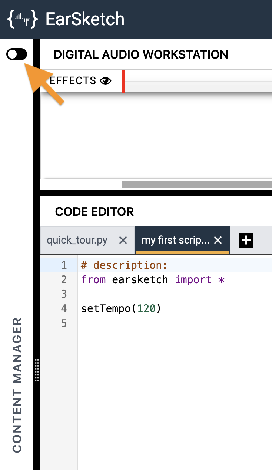
-
Select the SCRIPTS tab.
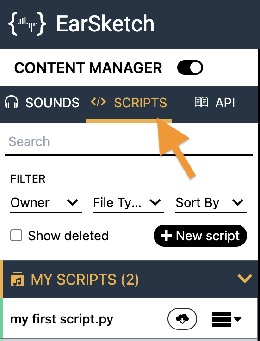
-
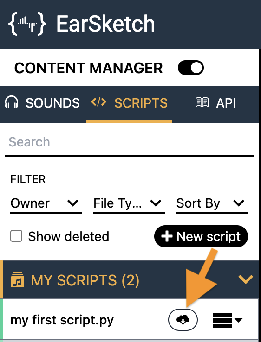
Find your song's script in the MY SCRIPTS panel and click its Download button
 .
.
-
Click the download button
 next to the Script option.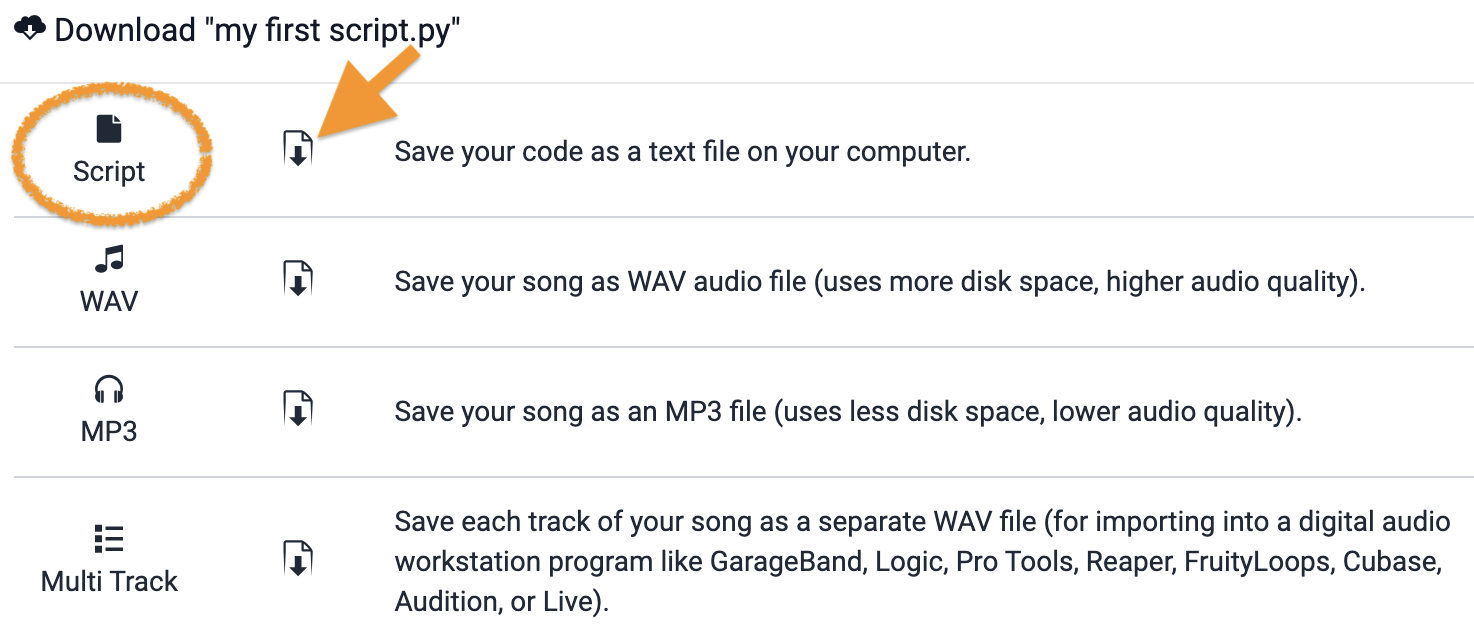
-
Turn in the downloaded Python (
.py) file the way your teacher has asked for it (Google Classroom, your project notebook, or wherever this class collects work).
- Your song's script (
.pyfile), turned in as instructed.
How It's Graded
This lab is worth up to 4 points. One score covers everything you turn in.
| Score | What it looks like |
|---|---|
| 4 — Excellent | Three or more functions divide the song into named sections, at least two take an argument, every function is called, and one section returns for an encore — placed at a different measure by its argument, which is the whole payoff. |
| 3 — Above Average | All requirements met; a function accepts an argument and then quietly ignores it. |
| 2 — Average | Functions exist but the structure doesn't — one function does everything, or a section is defined and never called. |
| 1 — Below Average | No working functions; the song still runs top to bottom as one block. |
| 0 — Failing | Nothing turned in. |