EarSketch: Lists
By now your script names a lot of sounds, one variable at a time. A list holds them all in one place — and once your sounds live in a list, a loop can place every one of them in the song with a few lines of code.
Overview
We will use Python lists in our songs: one list to organize every sound we
use, a loop to add them with fitMedia(), and a list-powered makeBeat()
that handles multiple sounds at once.
Before you start
Open your song script in EarSketch. This lab continues the song you've been building.
You've got it when…
- All the sounds your song uses are stored in a list.
- A loop adds the sounds from your list to the song with
fitMedia(). -
makeBeat()is called with a list to handle multiple sounds at once.
Collaboration & AI
Work: On your own.
AI — AIAS Level 1, No AI: Lists and loops by hand, one more time. What the levels mean.
Organization With a List Data Structure
-
Read the following EarSketch Curriculum sections and apply them to your song.
-
Store all the sounds your song uses in a list. See examples in Section 9.1.
-
Use a loop to access the sounds in your list and add them to your song with
fitMedia(). See examples in Section 9.1. -
Use information from Section 9.2 to call
makeBeat()with a list to handle multiple sounds at once (see the final example code in this section).
Turn It In
Download your script from EarSketch and submit it:
-
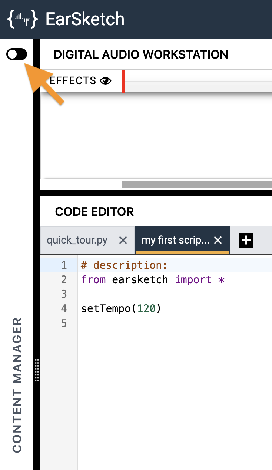
Click the toggle switch to expand the Content Manager.
-
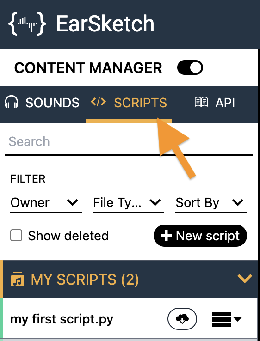
Select the SCRIPTS tab.
-
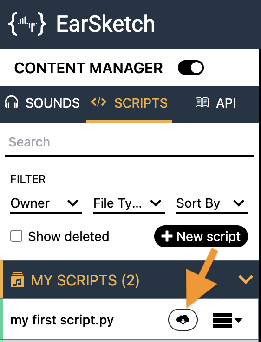
Find your song's script in the MY SCRIPTS panel and click its Download button
 .
.
-
Click the download button
 next to the Script option.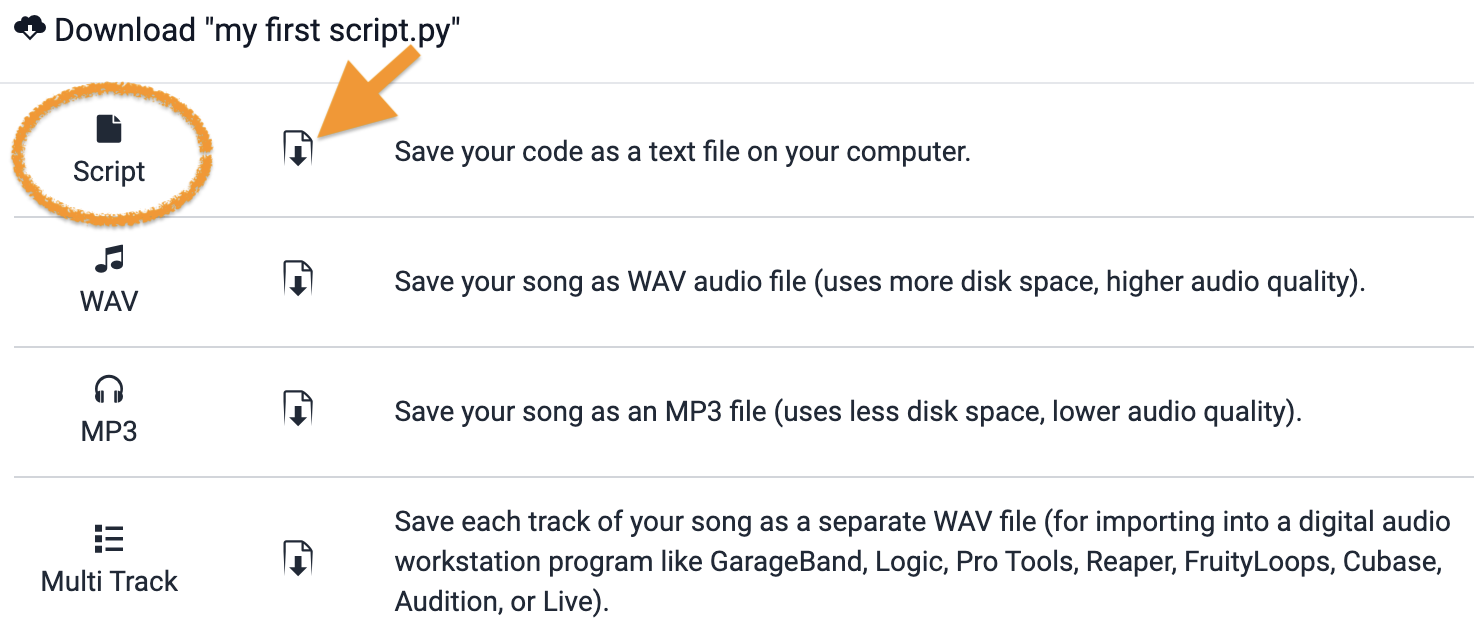
-
Turn in the downloaded Python (
.py) file the way your teacher has asked for it (Google Classroom, your project notebook, or wherever this class collects work).
- Your song's script (
.pyfile), turned in as instructed.
How It's Graded
This lab is worth up to 4 points. One score covers everything you turn in.
| Score | What it looks like |
|---|---|
| 4 — Excellent | Every sound the song uses lives in one list, a loop feeds them to fitMedia(), and makeBeat() takes a list to run multiple sounds at once — with no orphaned sound variables left behind from the old way. |
| 3 — Above Average | All three requirements met; a sound or two still lives outside the list. |
| 2 — Average | The list exists, but the loop or the list-powered makeBeat() doesn't use it. |
| 1 — Below Average | Sounds are still individual variables end to end. |
| 0 — Failing | Nothing turned in. |