EarSketch: Function Return and Boolean Logic
Your functions build sections of your song, but so far the conversation is one-way: you call them, they work, they say nothing back. In this lab your functions return answers the rest of the program can use — and your song learns to take requests.
Overview
We will write functions that return useful values, use those values in the
main program, and let a user customize the song with input and boolean
logic — expressions that are either True or False.
Before you start
Open your song script in EarSketch. This lab continues the song you've been building.
You've got it when…
- At least one of your functions returns a value.
- The main program uses that return value in a meaningful way.
- A user can customize the song by answering a prompt, and boolean logic changes the song based on the answer.
Collaboration & AI
Work: On your own. You'll need a neighbor as a test user — their job is to answer the prompts, not to fix your code.
AI — AIAS Level 1, No AI: Return values and boolean logic are the last fundamentals of the unit. Finish them yourself. What the levels mean.
Return Values, User Input, and Boolean Logic
-
Read the following EarSketch Curriculum sections and apply them to your song.
-
Write or modify a function to return something useful, such as the measure the function ends with.
-
Modify the main program to use the return value from the function. For example, create a loop that calls your function multiple times and uses the return value from each call (such as the ending measure) to set the input to the next call (such as the starting measure).
-
Allow a user (your DJ?) to customize your song by prompting them for input and using boolean logic to change the song.
Turn It In
Download your script from EarSketch and submit it:
-
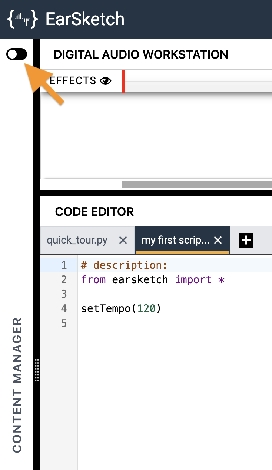
Click the toggle switch to expand the Content Manager.
-
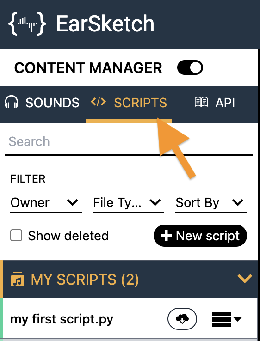
Select the SCRIPTS tab.
-
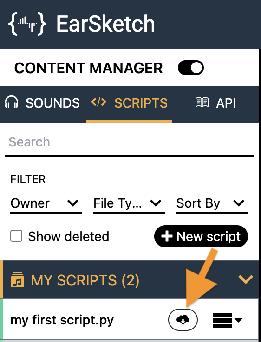
Find your song's script in the MY SCRIPTS panel and click its Download button
 .
.
-
Click the download button
 next to the Script option.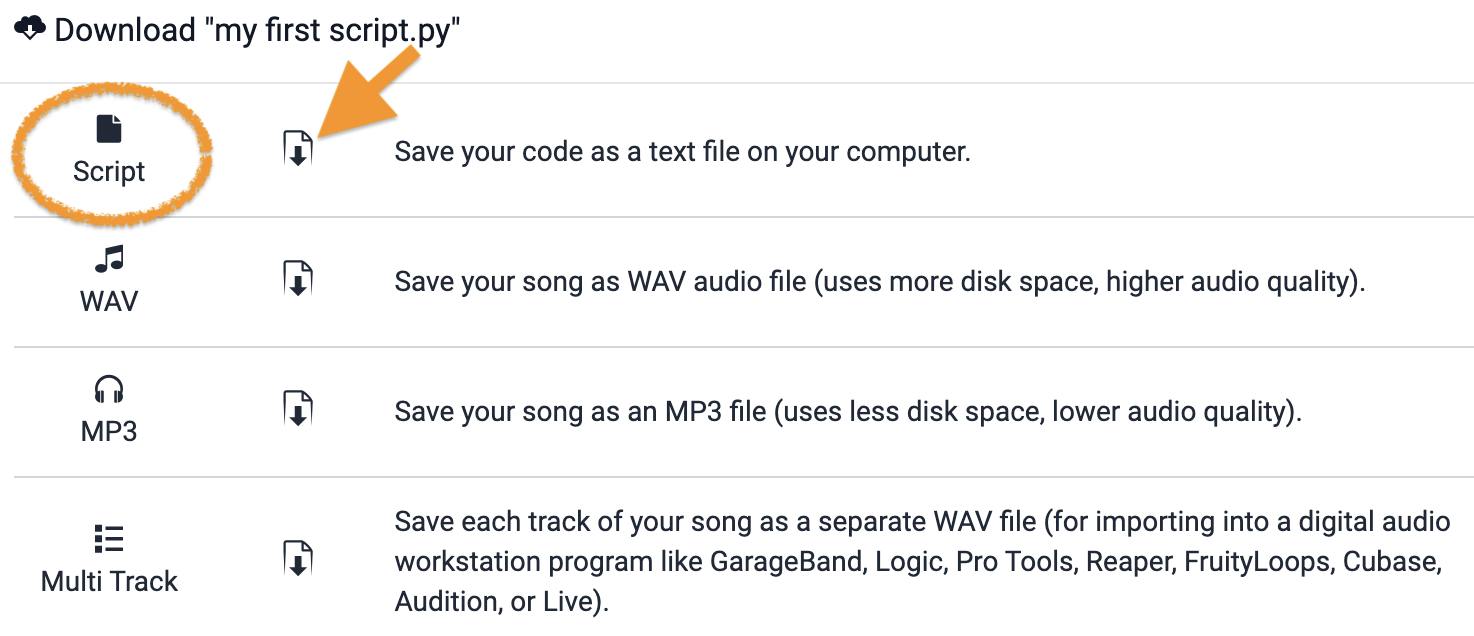
-
Turn in the downloaded Python (
.py) file the way your teacher has asked for it (Google Classroom, your project notebook, or wherever this class collects work).
- Your song's script (
.pyfile), turned in as instructed.
How It's Graded
This lab is worth up to 4 points. One score covers everything you turn in.
| Score | What it looks like |
|---|---|
| 4 — Excellent | A function returns a value the main program genuinely uses — an ending measure feeding the next section's start is the classic — and a listener can answer your prompt and hear the song change, with boolean logic steering it and both answers running clean. |
| 3 — Above Average | All three requirements met; the return value is used, but trivially — printed rather than steering anything. |
| 2 — Average | A function returns a value nobody uses, or the prompt crashes on one of the two answers. |
| 1 — Below Average | No return values and no working input — the conversation is still one-way. |
| 0 — Failing | Nothing turned in. |