Find the Mass of a Part
Fusion calculates the mass of a part from its volume and the physical material assigned to it. The number is two clicks away, in the part's Properties panel.
-
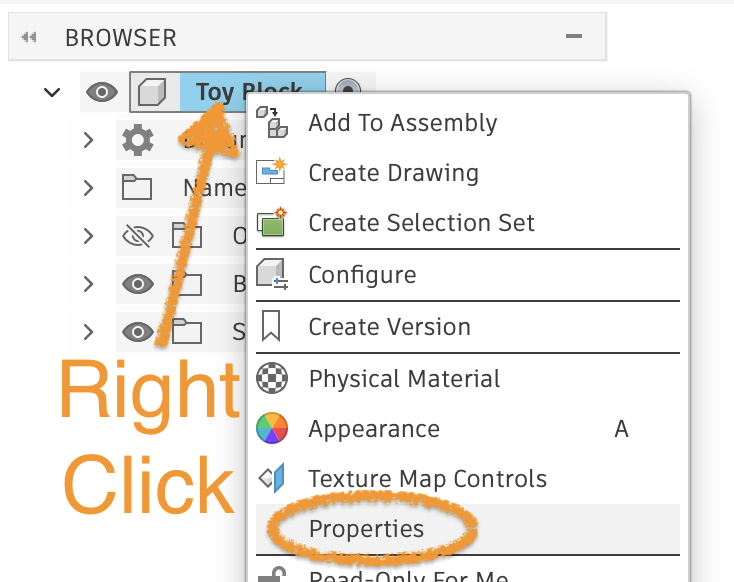
In the BROWSER panel, right-click the name of your part, then click Properties.
-
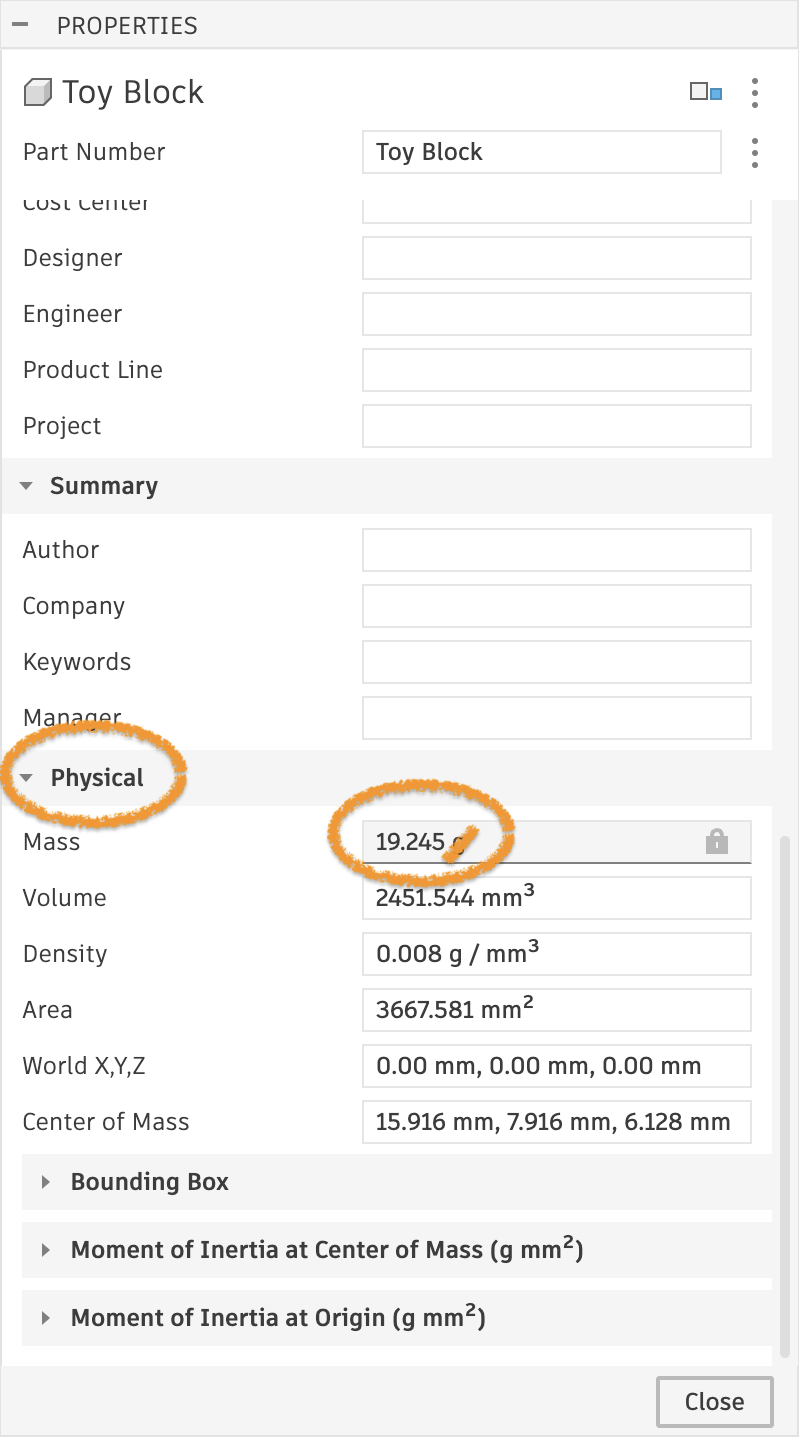
Scroll down to the Physical section. The part's mass is listed next to Mass.
The material changes the mass
The mass is only as accurate as the material Fusion thinks the part is made of. A new part defaults to steel, which is why the toy block above weighs about 19 grams instead of the roughly 3 grams it would in PLA. Before you trust the number, check which material your assignment calls for. If it calls for the default, leave the material and appearance alone.