EarSketch: Loops
Your beat from the last lab is one measure long. Copying and pasting it sixteen times would work, and it would also be sixteen chances for a typo. Programmers have a better tool for "do this again": the for loop.
Overview
We will use for loops to repeat our beats over multiple measures, and use
print() to watch the loop work.
Before you start
Open your song script in EarSketch. This lab builds on the beat string you wrote in Creating a Beat.
You've got it when…
- A 16-character beat string repeats over multiple measures with a for loop.
-
print()inside your loop shows the loop index (the song measure) in the console. - A second loop does something in your song other than calling
makeBeat().
Collaboration & AI
Work: On your own.
AI — AIAS Level 1, No AI: Loops are a skill worth owning. Write them yourself. What the levels mean.
Printing and Looping
-
Read the following EarSketch Curriculum sections and apply them to your song.
-
Create a beat string with exactly 16 characters (1 measure long; see the previous assignment). Use a for loop to repeat the beat string over multiple measures. See Section 4.1 for examples.
-
Use a
print()function call inside your loop to print the loop index (the song measure) to the screen. See Section 4.2 for information. -
Create one additional loop that does something other than calling
makeBeat(). See Section 4.3 for some inspiration.
Turn It In
Download your script from EarSketch and submit it:
-
Click the toggle switch to expand the Content Manager.
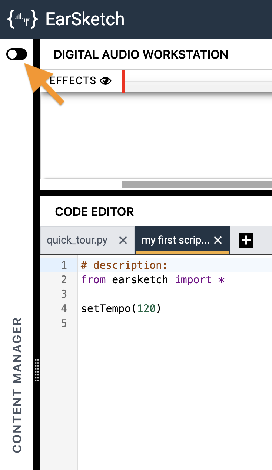
-
Select the SCRIPTS tab.
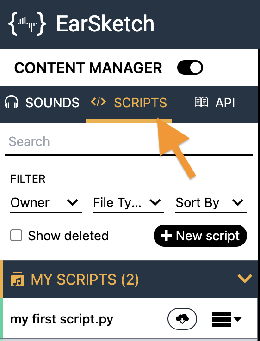
-
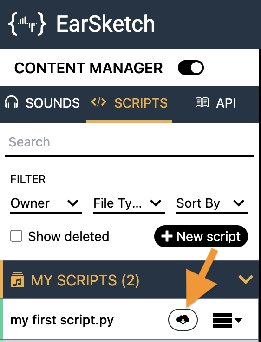
Find your song's script in the MY SCRIPTS panel and click its Download button
 .
.
-
Click the download button
 next to the Script option.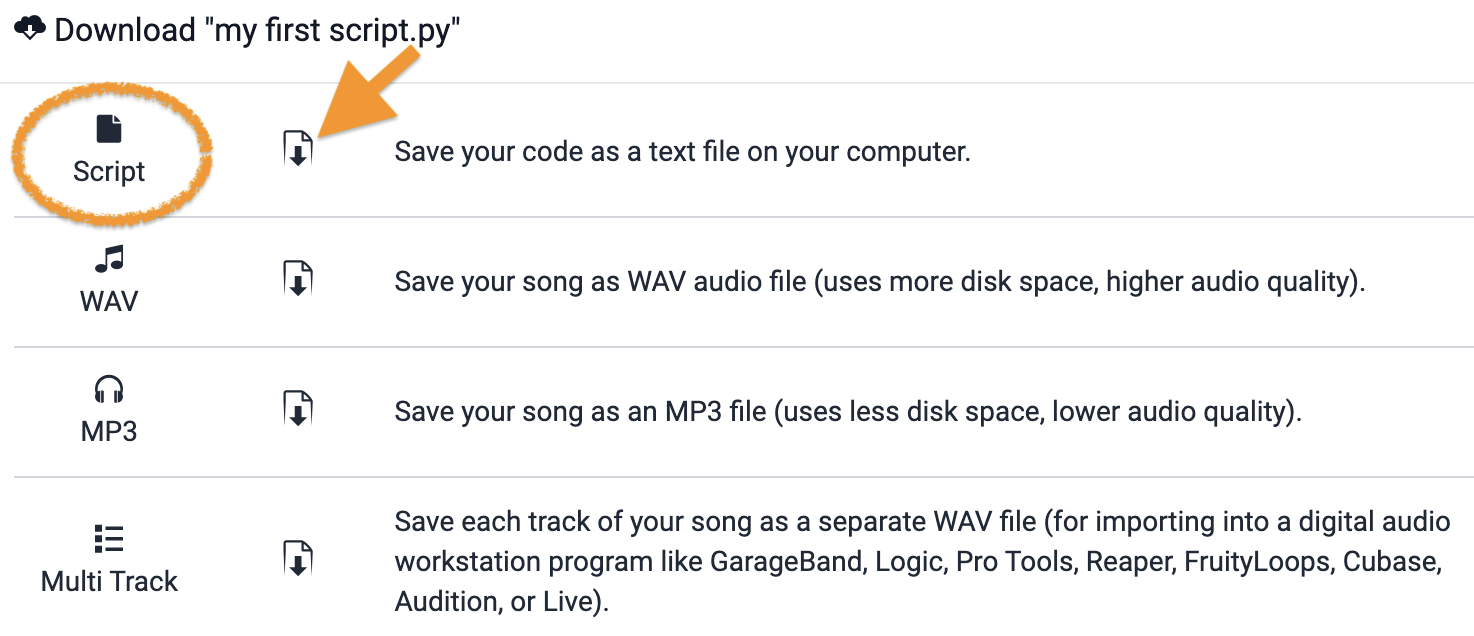
-
Turn in the downloaded Python (
.py) file the way your teacher has asked for it (Google Classroom, your project notebook, or wherever this class collects work).
- Your song's script (
.pyfile), turned in as instructed.
How It's Graded
This lab is worth up to 4 points. One score covers everything you turn in.
| Score | What it looks like |
|---|---|
| 4 — Excellent | A 16-character beat string repeats across multiple measures through a for loop, print() inside the loop shows each measure in the console, and a second loop does a different job — with no copy-pasted measure blocks left anywhere in the script. |
| 3 — Above Average | All three requirements with a slip — a beat string of 15 or 17 characters, or a print() sitting outside the loop it should be inside. |
| 2 — Average | One loop works; the console print or the second loop is missing. |
| 1 — Below Average | No working loop — the beat repeats because you pasted it. |
| 0 — Failing | Nothing turned in. |